Panelque TV
August 23, 2026 by Michael
Our workshop had a problem every growing shop knows: the only way to check how the day was going was to stop working, open a laptop, and log into Shopify. So we hung a TV on the wall and taught Panelque to talk to it.
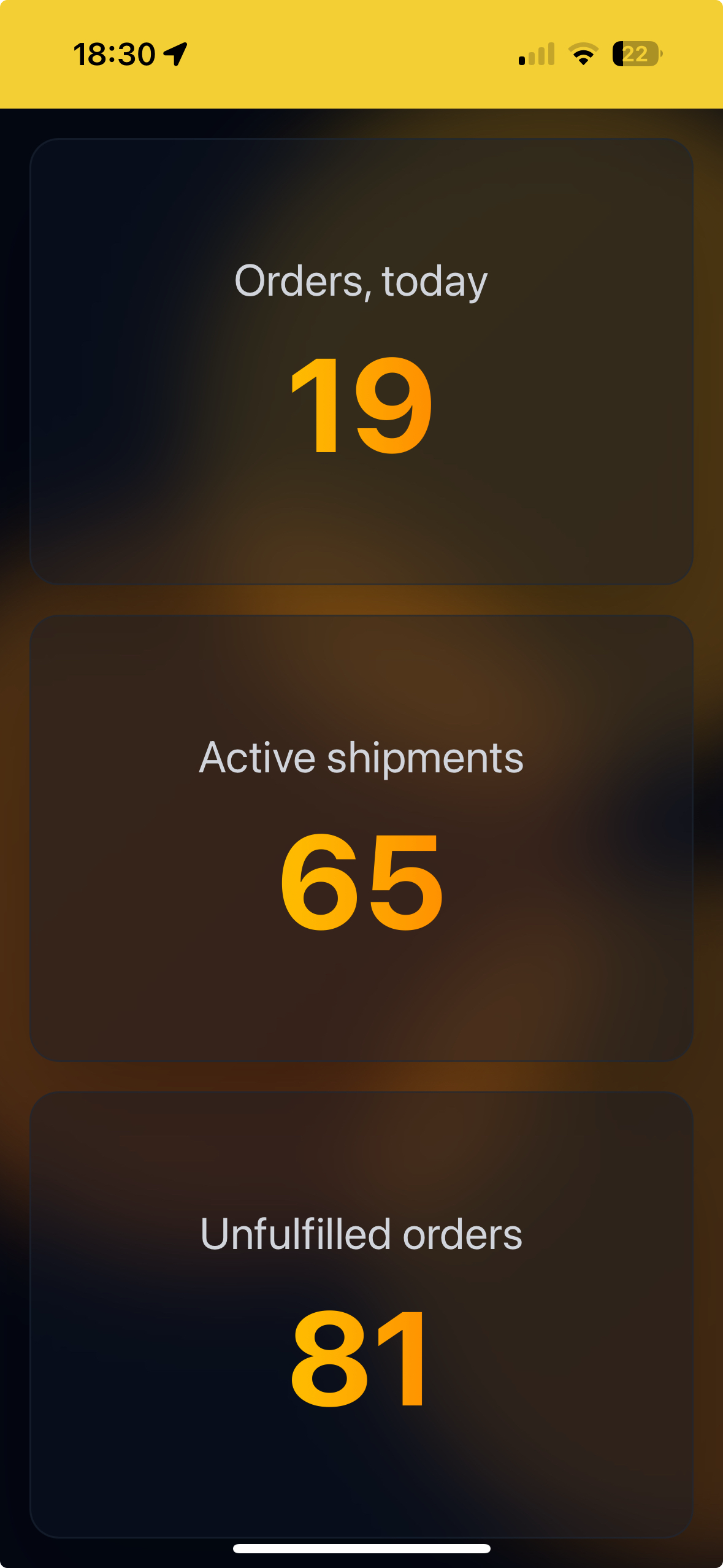
Here's how it works. Open https://panelque.com/tv in the browser of any screen – a smart TV, an old tablet, a spare monitor with a Raspberry Pi – and it shows a short pairing code. Enter that code in Settings → TV in the Panelque app, give the screen a name, and it instantly becomes a live dashboard for your shop. The same pairing you know from TV streaming apps.
The important part: the screen itself never logs into anything. No Shopify credentials on the warehouse TV, no admin session anyone can wander into. If a screen shouldn't be showing data anymore, you detach it from settings and it goes back to the pairing code.
Each screen picks its own set of cards, so the TV in packing can show different things than the one in the office. Right now you can display:
- Orders count and items ordered today
- Revenue today
- Last orders as they come in
- Active shipments currently on the road, whichever carrier is holding them
- Unfulfilled orders and unfulfilled items waiting to be packed
- Unresolved notes – tasks and comments on orders that still need attention
Everything updates in real time. A new order appears on the screen the moment it's placed – no refreshing, no polling, no "let me check". When a shipment status changes or someone resolves a note, the wall already knows.
What did it change for us? More than we expected:
- The team sees the day without asking. Packing knows exactly how many items are left, and nobody interrupts anyone to ask "how are we doing?"
- Motivation is visible. During a sale, watching the orders counter climb together beats any pep talk.
- Nothing gets forgotten. Unresolved notes glowing on the wall have a way of getting resolved. Panelque writes some of them itself, when a parcel turns around or goes missing.
- No extra Shopify seats or shared passwords just so the workshop can see order numbers.
Panelque TV is also a PWA – a progressive web app. On Android TV, a tablet, or any device with Chrome you can install it as a standalone app: it launches full screen straight into the dashboard, with no browser bars around it. Pin it to the home screen and the TV boots into your shop's numbers.
We built this for our own wall first. It's been running every day since – and walking into the workshop to a screen full of fresh orders never gets old.